Tyenna.
Headphone amplifier / preamplifier
PR-01 · Getting started
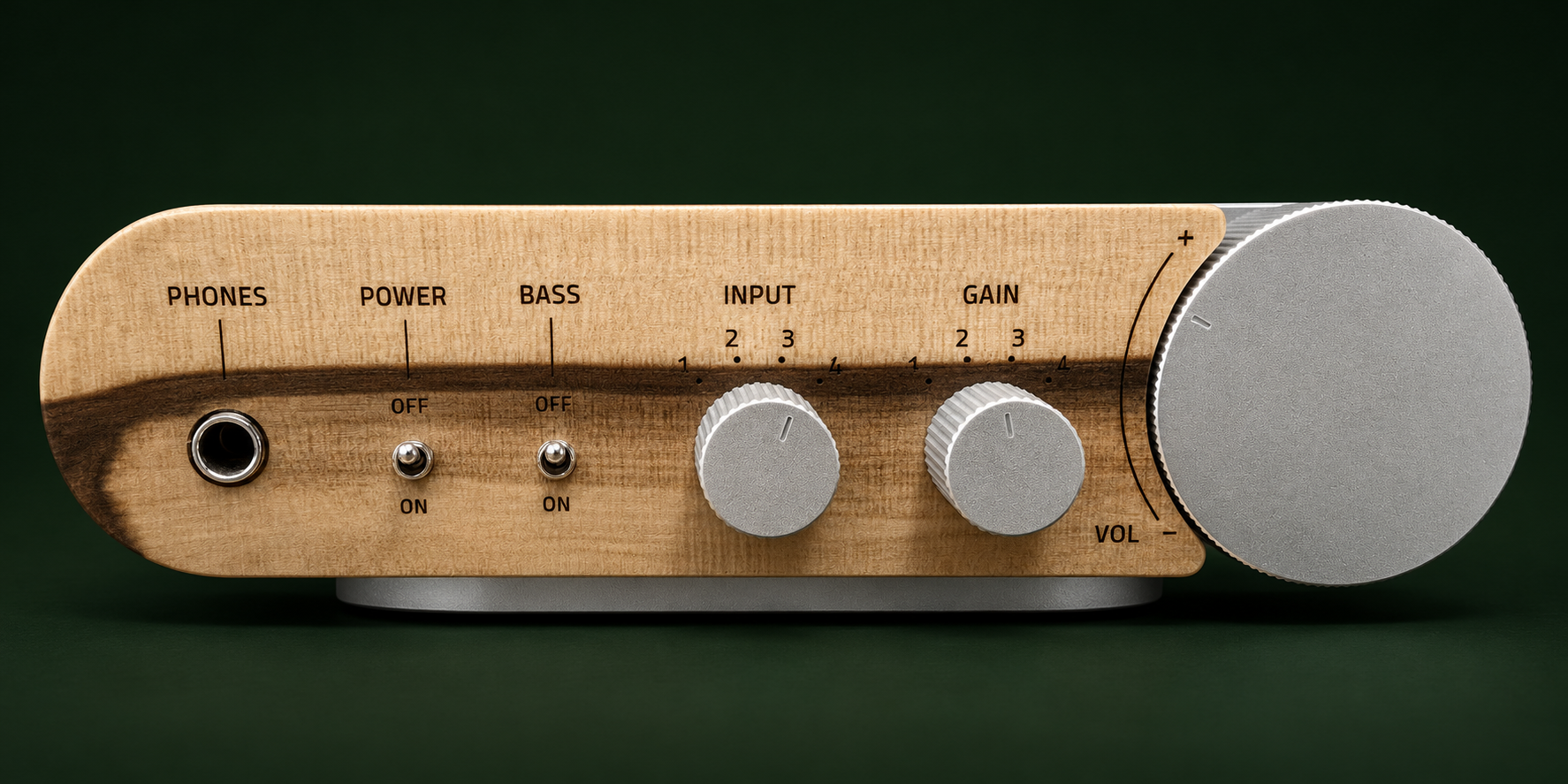
Tyenna · Front panel
A few familiar controls.
Headphones
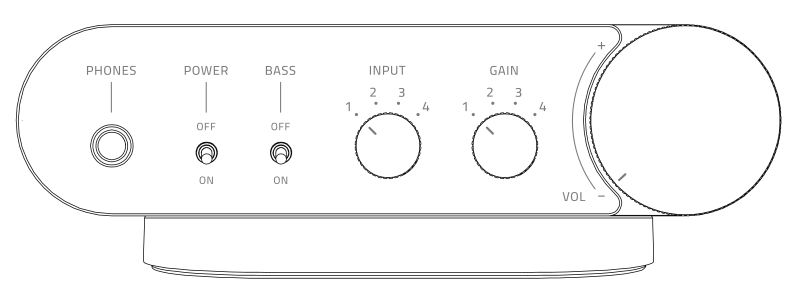
Connect headphones to the 6.35 mm stereo socket. Inserting the plug mutes the rear line output.
Power
Connect and switch on the external power supply before using the front power switch.
Bass
Switch on for a fuller low end. Switch off for the unboosted response.
Input
Select 1 for analogue, 2 for USB, 3 for optical or 4 for Bluetooth.
Gain
Start at the lowest setting. Increase gain if you need more level, reducing volume before changing gain.
Volume
The large dial controls headphones and the rear line output. Start low and raise it gradually.
Tyenna · Connections
Bring your music.
Analogue input · RCA
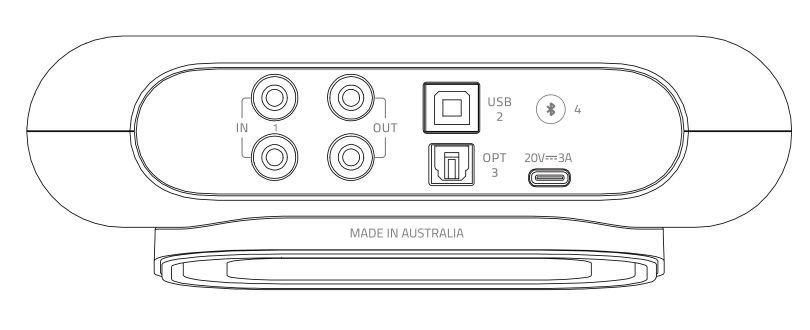
Connect a line-level source such as a CD player or an external phono preamplifier. A turntable requires its own phono stage.
USB audio · USB-B
Connect a compatible computer or mobile device. Select Tyenna as the audio output on your source where required.
Optical · TOSLINK
Connect a compatible stereo optical source, such as a TV or computer.
Bluetooth
Select input 4. Open Bluetooth settings on your phone or tablet and look for SET2 BT!
Line output · RCA
Connect to a power amplifier or active speakers. Tyenna’s volume dial sets the level. The output mutes when headphones are connected.
Power · USB-C PD
Use the supplied power supply. The USB-C connection supplies 20 V power; USB audio uses the separate USB-B socket.
Tyenna · Your first listen
Settle in.
- Start with the level down.
Turn the volume down, choose the lowest gain and switch bass off.
- Connect your source and headphones.
Make the appropriate audio connection, then select its input on the front dial.
- Connect power and switch on.
Connect the supplied USB-C power supply, switch it on, then use Tyenna’s front power switch.
- Play something you know.
Start playback and raise the volume gradually to a comfortable level. Adjust bass to taste.
White: analogue. Green: USB. Red: optical. Blue: Bluetooth. Digital inputs pulse while waiting for a signal or connection; illumination dims after five seconds.
Draft setup text for review. Final operating details and supplied accessories will be confirmed with the production manual.